



Your backend quietly loses clients.
No alerts. just missing revenue.
CVS builds your Client Flow backend inside your workspace.
Every lead:
-
Tracked.
-
Followed up.
-
Moved toward payment.
No subscriptions. No complexity. No starting from scratch.
➡ Built with your tools
➡ Handed back ready to run.
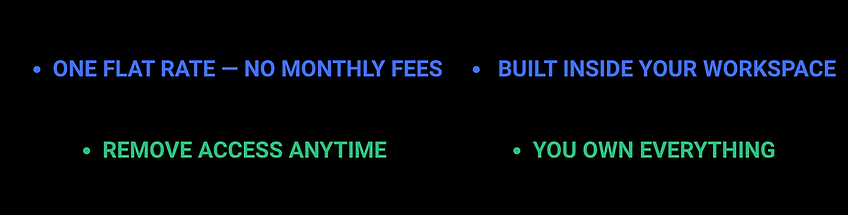
➡ One flat rate.
THE PROBLEM
The quality of your work isn't why you lose clients.
Clients drop off because your backend can’t keep up.
Let’s be real...
Sticky notes aren’t a system.
Spreadsheets aren’t a pipeline.
Memory isn’t a follow-up strategy.
What that creates:
-
Scattered client data
-
Missed conversations
-
Inconsistent follow-ups
-
Manual everything
And the worst part?
You don’t see the loss happening.
It’s silent.
The problem isn’t your offer.
It’s not your content.
It’s not your ability to sell.
It’s what happens after someone shows interest.
No structure = no consistency
No consistency = lost clients
Small gaps become:
✘ missed follow-ups
✘ delayed responses
✘ disorganized onboarding
✘ unpaid invoices
➡ Over time, it compounds into lost revenue.
WHAT THE DATA SAYS ABOUT CRM

It’s not about working harder.
It’s about having a system that:
✔ Tracks every lead automatically.
✔ Shows you exactly what needs to happen next.
✔ Removes reliance on memory.
✔ Keeps your pipeline moving.
➡ So nothing gets dropped.
One system. Built around how you already work.
THE SOLUTION
Your tools,
working together.
-
Every lead is captured and moved forward.
-
You know exactly who to follow up with (and when)
-
Onboarding runs the same way every time
-
Payments stay organized and visible
-
Your data is clean, usable, and reliable
-
You stop guessing what to do next.
![The_Fix[1].png](https://static.wixstatic.com/media/a73794_414c121bb7e64b30abb4094278e6a554~mv2.png/v1/fill/w_522,h_532,al_c,q_85,usm_0.66_1.00_0.01,enc_avif,quality_auto/The_Fix%5B1%5D.png)
This isn’t something you download and try to figure out.
This is:
A client flow system built around your business.
Configured to how you already:
-
sell
-
onboard
-
manage clients
Not something you have to adapt to.
WHATS INCLUDED
Three options...
Build your system
🟦🟩 FOUNDATION SYSTEM
$497 — Notion System
-
Built in your Notion. Ready to use immediately.
-
5 databases: Pipeline, Clients, Onboarding, Tasks, Payments
-
Offers, programs, lead sources pre-loaded
-
Up to 10 live leads added at delivery
-
Booking link embedded (Calendly / Cal / TidyCal)
-
Resource hub: scripts, onboarding checklist, VA guide, revenue tracker, invoice SOP
-
Personalized walkthrough video
-
1 revision round (7 days, 48h delivery)
-
Full ownership, no subscription
-
Delivered in 3–5 business days. Fully async.
➡ Best if you want structure but don’t mind setting it up
🟦🟩 INSTALLED SYSTEM
$997 — Core Automations
-
4 Make.com automations built + activated.
-
Paid → Client + onboarding + pipeline + welcome email
-
New lead → Same-day follow-up task
-
30-day no contact → Daily reactivation task
-
Retention → Renewal task auto-created
Includes:
-
Live-tested automations (recorded proof)
-
1-page system guide
-
14 days async support
-
Requires Make.com Core (~$9–16/mo)
-
Delivered in 5–7 business days. Fully async.
🟦🟩 CLIENT FLOW SYSTEM
$1,497 — Full System
-
8 automations across Make + Calendly + Tally + Google Calendar.
-
Includes everything in $997, plus:
-
Intake → Pipeline record auto-created
-
Booking → Calendar event + prep tasks
-
Call booked → 3 timed prep tasks
-
Invoice overdue (14 days) → reminder + status update
-
2 custom onboarding flows by offer type
Includes:
-
Full system walkthrough (all automations firing)
-
14-day Q&A (48h response)
-
30 days async support
-
Requires Make.com Core (~$9–16/mo)
-
Delivered in 7–10 business days. Fully async.
$79/month — Maintenance (optional)
Ongoing system stability + updates.
-
Monthly automation health check
-
1 scenario update/month
-
Failure monitoring + early detection
-
1-business-day support
-
Access to all future updates
-
Cancel anytime
How It Works
-
Fill intake form (5–7 min)
-
Start date confirmed (1–2 days)
-
Grant Notion access (≈2 min)
-
Build + delivery
-
Review walkthrough + request edits
No calls. No scheduling. Intake form only.
WHY CVS
Rebuilding broken systems.
Redesigned to connect it all.
Most systems are:
too simple → don’t solve anything
too complex → never get used
CVS sits in the middle.
➡ A right-sized system for businesses already in motion, but stuck in chaos.
Built from real-world experience.
No more
✘ broken workflows
✘ disconnected tools
✘ inefficient processes
✘ You don’t get a template.
You get:
✔ A system configured to your business
✔ Built inside your workspace
✔ Owned by you (no lock-in)
WHY CVS
One setup.
Yours to keep.
✘ Not a Notion setup.
✘ Not a CRM.
✘ Not a template.
➡ You’re buying control over your client flow.
✘ No more guessing
✘ No more missed follow-ups
✘ No more scattered data.
Just a system that keeps things moving.
✔ Strategic clarity
✔ Perfect Follow-through
✔ Streamlined Data Flow.